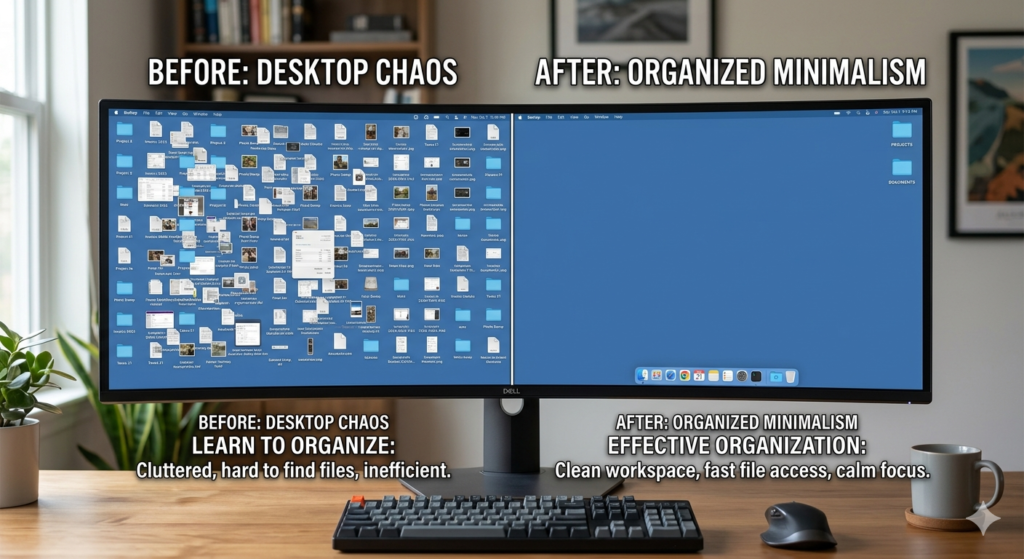
Many professionals spend hours optimizing their physical office space, only to boot up their computer and face a screen completely covered in chaotic icons, unsorted screenshots, and random document files. When your computer desktop is a mess, the immediate visual impact drains your cognitive energy before you even click open your first application. This digital mess is just as detrimental to your focus as a pile of unread mail sitting on your keyboard.
Understanding how to organize desktop real estate is a critical component of modern knowledge work. Rather than using your computer screen as a dumping ground for temporary thoughts, it should serve as a streamlined launchpad for deep work. This “how-to” guide will walk you through the psychological impact of screen aesthetics, how to build a sustainable sorting routine, and the measurable benefits of a pristine digital environment.
The Hidden Cost of Digital Clutter
To fix the problem, we must understand why a messy screen actually slows us down. It is not just an aesthetic issue; it is a neurological burden.
Learning how to organize desktop for productivity involves systematically clearing your computer screen of unnecessary files and applications. By establishing a strict file management system and utilizing minimalist wallpapers, you reduce visual digital clutter, allowing your brain to process information faster and maintain deep, uninterrupted focus.
Every time you look at a screen filled with 50 different icons, your brain subconsciously attempts to process each one. This visual noise increases your cognitive load. You waste valuable mental bandwidth constantly scanning through the digital clutter just to find the one specific spreadsheet you need.
Furthermore, this disorganized environment creates a low-level sense of anxiety. Unsorted files act as visual reminders of incomplete tasks and deferred decisions, constantly pulling your attention away from your current priority.
Establishing a File Management System
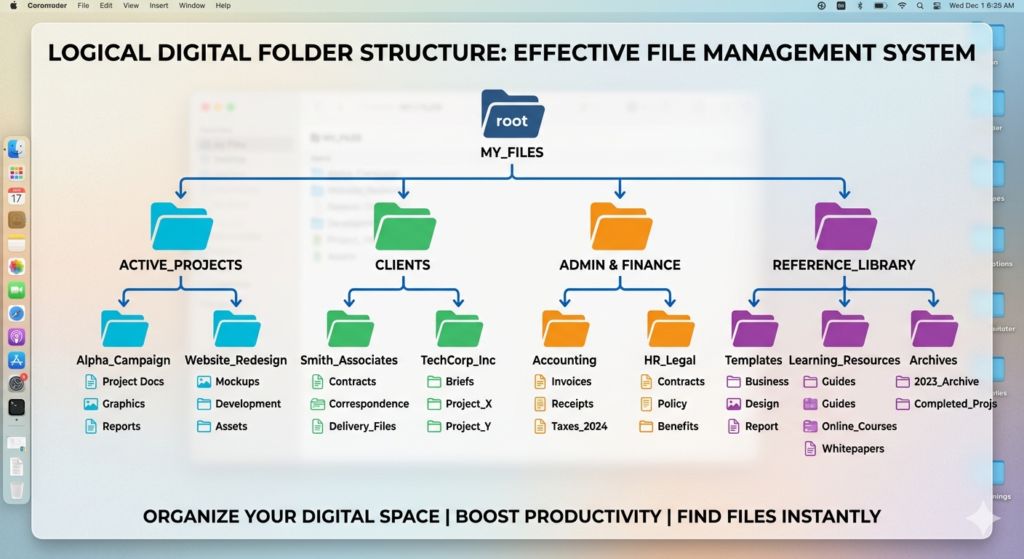
The most common reason desktops become cluttered is the lack of a designated alternative home for new files. If a downloaded file does not have a specific folder to go to, it defaults to resting on the main screen.
To combat this, you must build a logical file management system. Create a master folder directory in your computer’s designated “Documents” drive, not on the desktop itself. Organize this hierarchy by broad categories, such as “Active Projects,” “Administrative,” and “Personal,” then use sub-folders for specific tasks or years.
Once a project is completed, it should be removed from your active local drive entirely. Regularly transferring older, completed projects to a dedicated external hard drive (for archiving) ensures your immediate workspace remains light and fast. Treat your computer’s main screen like the physical top of your desk: it is a place for active work, not long-term storage.
Mastering Desktop Wallpaper Aesthetics
Once you have cleared the files, the background image you choose plays a surprisingly significant role in your daily focus.
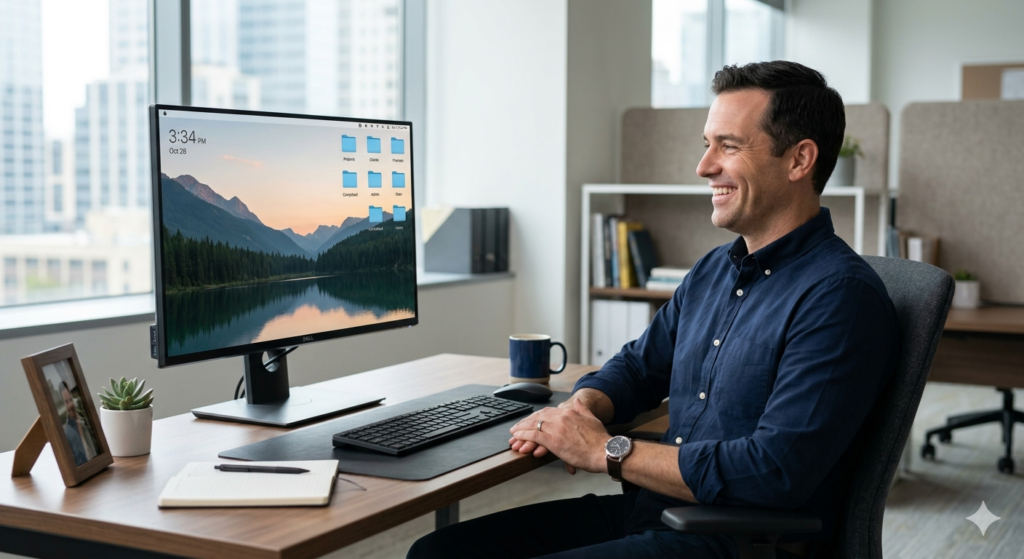
Your desktop wallpaper should be intentionally selected to promote calm and concentration. Highly detailed photos, bright neon colors, or pictures featuring complex patterns can cause eye strain and visual distraction. Instead, opt for minimalist designs, solid muted colors, or simple, expansive nature scenes.
Some operating systems allow you to automatically change your background based on the time of day. Utilizing a darker, warmer wallpaper in the late afternoon can help signal to your brain that the workday is winding down, subtly reinforcing healthy digital boundaries.
Experiencing Clean Desktop Benefits
The immediate relief of a cleared screen is palpable. When you sit down to work, you are no longer greeted by a wall of digital chores.
One of the most immediate clean desktop benefits is improved technical performance. Many operating systems render every single item on the desktop as an active window in the background, which consumes active memory (RAM). Removing these icons can noticeably speed up your computer’s boot time and general responsiveness.
Psychologically, a pristine digital environment perfectly mirrors the benefits of a Distraction Free Workspace. When both your physical desk and your digital screen are completely clear of clutter, your ability to drop into a state of deep, meaningful focus is drastically accelerated.
Conclusion
Knowing how to organize desktop environments is a vital skill for anyone who spends their day doing deep work on a computer. By acknowledging the cognitive drain of digital clutter and implementing a rigid file management system, you can transform your screen from a chaotic dumping ground into a sleek, efficient tool. Choosing a calming desktop wallpaper and committing to a routine of regular digital archiving ensures that your virtual workspace remains just as pristine as your physical one. Maintain this clarity, and your daily productivity will naturally follow.
Frequently Asked Questions (FAQ)
Why does a cluttered computer desktop reduce productivity?
A cluttered desktop increases cognitive load by presenting your brain with unnecessary visual stimuli. Constantly scanning through dozens of unsorted icons drains mental energy and makes it difficult to quickly locate the tools required for your immediate task.
How often should I clean my computer desktop?
It is highly recommended to perform a “digital reset” at the end of every workday. Spend two minutes dragging any loose files, screenshots, or downloads into their proper folders within your file management system before shutting down.
Does having a lot of items on the desktop slow down my computer?
Yes. Many operating systems allocate active memory (RAM) to render the icons and preview thumbnails of everything sitting on the main desktop. A screen covered in heavy files can noticeably increase boot times and cause systemic lag.
What is the best type of desktop wallpaper for focus?
The best wallpapers are minimalist, low-contrast, and visually calm. Solid colors (like dark gray or slate blue), subtle gradients, or muted nature scenes prevent eye strain and keep the focus on your active application windows.