Your physical environment heavily dictates your mental state. If you are constantly struggling to focus, the problem might not be your attention span; it might be the room you are sitting in. A cluttered desk naturally leads to a cluttered mind, as every stray piece of paper and tangled wire subtly competes for your brain’s processing power.
Creating a space optimized for high-level output requires intentional design. It is about removing visual noise so your brain can direct all its energy toward the task at hand. This blueprint will guide you through the process of building the ultimate distraction free workspace, transforming your standard office into an environment engineered for deep, uninterrupted focus.
The Anatomy of a Focused Environment
Before rearranging your furniture, it is important to understand the fundamental goal of this spatial redesign.
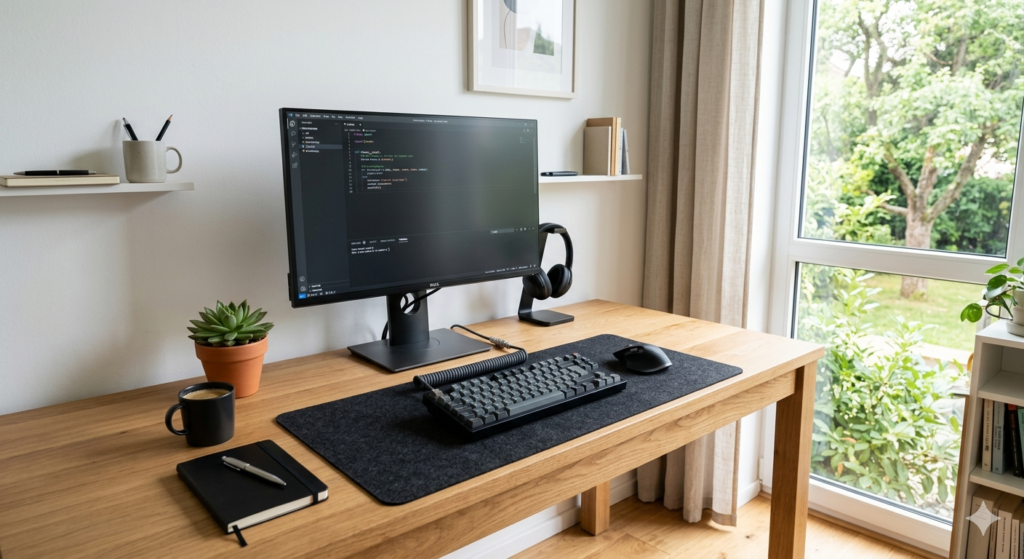
A distraction free workspace is a deliberately designed physical environment that minimizes visual, auditory, and cognitive interruptions. By removing unnecessary objects and optimizing the layout for a single primary task, this workspace reduces cognitive load and allows the brain to achieve sustained, deep concentration.
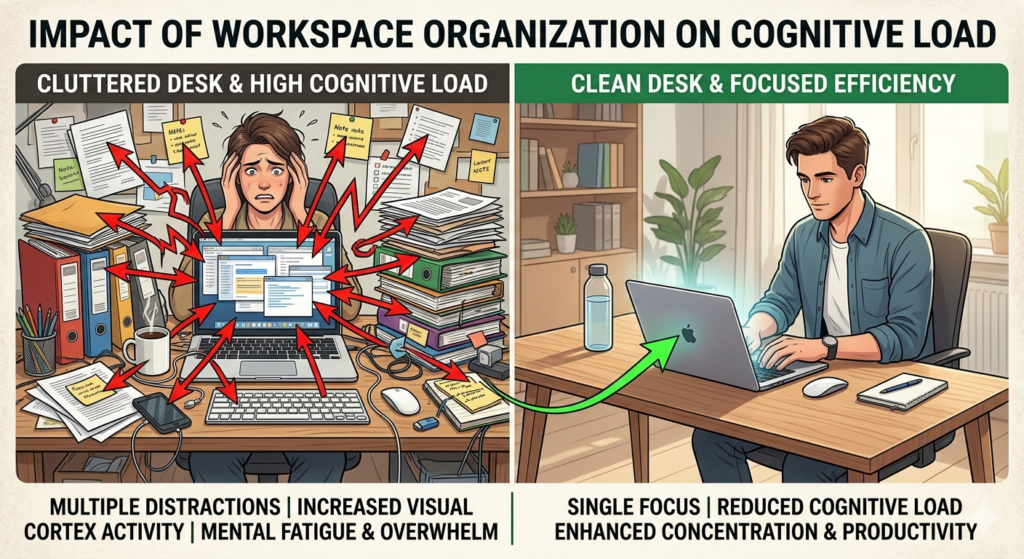
Every object in your line of sight acts as a visual stimulus. When your desk is covered in sticky notes, coffee mugs, and miscellaneous documents, your brain continuously processes these items in the background. This subtle mental drain makes it significantly harder to drop into a state of flow. The core principle of spatial productivity is that less is always more.
Principles of a Minimalist Desk Setup
The foundation of your new environment is a true minimalist desk setup. Minimalism in this context does not mean an empty room; it means possessing only what is strictly necessary for your current task.
Start by completely clearing your desk surface. Remove everything, wipe it down, and only add back the essential tools required to do your job today. For most digital workers, this means a computer, a keyboard, a mouse, and perhaps a single notepad.
Everything else—chargers, reference books, excess pens, and snacks—should be stored in drawers or completely removed from the room. By limiting your tools, you eliminate the micro-decisions and distractions that derail a productive morning.
Creating a Deep Work Station
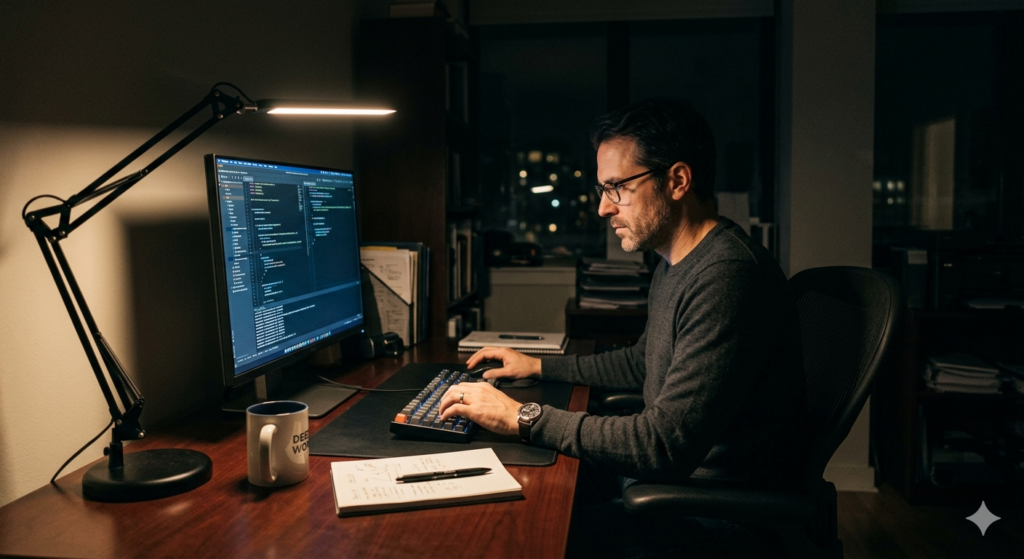
Once you have cleared the clutter, you must arrange your tools to support specific types of work. A highly effective strategy is treating your desk as a dedicated deep work station.
This means conditioning your brain to associate this specific physical location solely with high-value, concentrated effort. Do not eat lunch at this desk. Do not casually scroll through social media or watch entertainment videos in this chair.
If you need to perform shallow work—like answering quick emails or taking a phone call—consider moving to a different room or a separate chair if space allows. By strictly defining the purpose of your primary desk, you train your nervous system to automatically shift into focus mode the moment you sit down.
Taming Visual Chaos
Even if your desk surface is clear, underlying visual chaos can still disrupt your attention. The most common offender in modern offices is a tangled web of electronic cables.
A disorganized mess of power cords dangling behind your monitors creates low-level visual stress. Systematically routing and hiding these wires instantly elevates the professional feel of the room. Utilizing a simple cable management organizer kit to bundle cords together and strap them to the underside of the desk removes this distracting eye-sore completely.
The goal is to sit in your chair and see nothing but your screen and a clean surface. Small aesthetic improvements compound to create a significantly calmer mental state.
Optimizing Office Feng Shui and Flow
Finally, consider the broader layout of the room. Modern productivity environment design often borrows principles from traditional spatial philosophies to maximize comfort.
Basic office feng shui suggests positioning your desk in the “command position.” This means you should have a clear view of the door without being directly in line with it, and your back should be against a solid wall rather than an open walkway or window. This positioning subconsciously reduces the primal anxiety of someone approaching you from behind.
Additionally, prioritize natural lighting whenever possible. Position your monitor so that windows are beside you, rather than directly in front of or behind you, to prevent eye-straining glare. A well-lit, logically arranged room naturally invites calm and focused energy.
Conclusion
Building a distraction free workspace is an essential investment in your long-term cognitive endurance. By actively removing visual clutter, organizing your cables, and adhering to the principles of a minimalist desk setup, you free up valuable mental bandwidth. Establishing a dedicated deep work station and optimizing your room’s layout ensures that your physical environment actively supports your focus, rather than fighting against it. When your workspace is calm, your mind will naturally follow.
Frequently Asked Questions (FAQ)
What is the first step in creating a distraction free workspace?
The first step is a complete physical audit and decluttering. Remove absolutely every item from your desk surface, and only replace the vital tools (like your computer, keyboard, and mouse) necessary for your primary daily tasks.
Does a messy desk really affect my productivity?
Yes. Visual clutter competes for your brain’s attention. Even if you think you are ignoring the mess, your brain is subconsciously processing the objects in your peripheral vision, which increases cognitive load and causes mental fatigue to set in much faster.
What is a “deep work station”?
A deep work station is a physical space solely dedicated to intense, high-concentration tasks. The key is strict behavioral conditioning: you never use this specific desk or chair for casual browsing, eating, or low-value administrative work.
How should I position my desk for maximum focus?
Position your desk in the “command position,” where you have your back to a solid wall and a clear view of the room’s entrance. Avoid facing a wall if it makes you feel claustrophobic, and ensure your screen is placed perpendicular to windows to avoid harsh glare.