It is a daily battle for almost every modern professional: you sit down to focus on a challenging task, and suddenly your screen lights up with a new message. Even if you do not pick up the device, that simple vibration is enough to derail your train of thought. If you want to accomplish meaningful tasks, figuring out how to limit phone usage while working is no longer optional; it is an absolute necessity.
Relying purely on willpower to ignore a device engineered for addiction is a losing strategy. To truly reclaim your attention, you must implement deliberate systems that stop the interruptions before they occur. This guide offers practical, actionable steps to silence the digital noise, ranging from software adjustments to physical barriers, ensuring your smartphone remains a helpful tool rather than a constant distraction.

The Impact of Smartphone Distractions
To solve the problem, we must first clearly define how these devices hijack our attention.
Learning how to limit phone usage while working involves implementing strict digital boundaries and physical barriers to prevent automatic interruptions. By utilizing focus modes, silencing non-essential alerts, and placing the device out of sight, professionals can protect their cognitive energy and maintain sustained concentration.
Every time your phone buzzes, your brain interprets it as a potential threat or reward. This forces your attention away from your current task and toward the device. Even a momentary glance incurs a cognitive switching penalty, draining your mental energy and increasing the time it takes to finish your work.
To work efficiently, you must proactively manage these digital triggers. Your phone should only demand your attention when you explicitly allow it to.
Do Not Disturb Settings and Notification Batching
The first line of defense against digital distraction exists directly within your phone’s operating system.
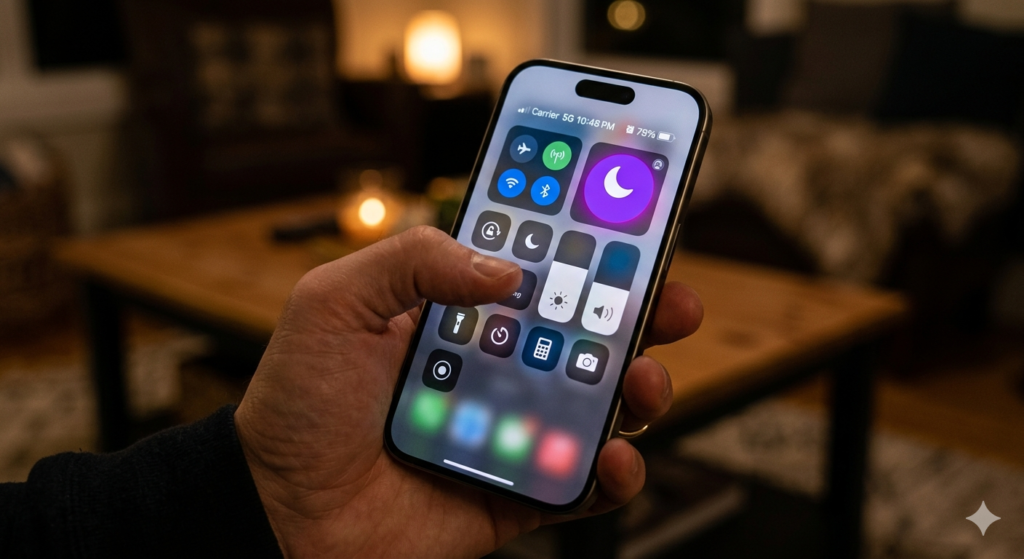
Modern smartphones offer robust do not disturb settings (often called “Focus Modes”). These features allow you to customize exactly who and what can interrupt you during specific hours. By setting your phone to automatically block all non-essential app notifications from 9:00 AM to 5:00 PM, you eliminate the constant pinging that fragments your day.
To handle the notifications you still need to see, employ a strategy called notification batching. Instead of receiving alerts as they happen, configure your settings to deliver a summary of notifications at predetermined times, such as noon and 4:00 PM. This allows you to process information on your own schedule, rather than at the whim of an algorithm.
The Psychology of Grayscale Mode
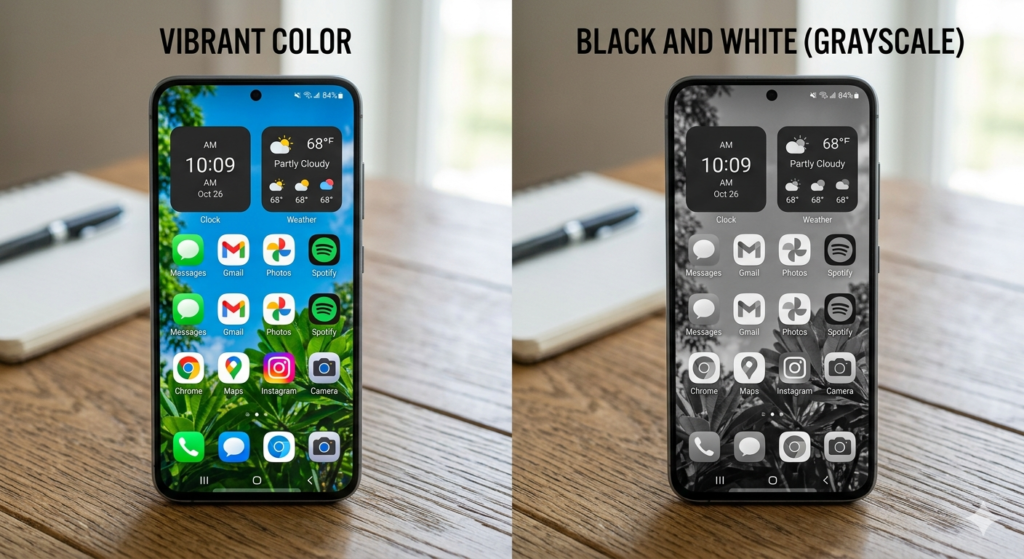
If you find yourself mindlessly picking up your phone even when it isn’t buzzing, the problem is visual stimulation. App developers use bright, high-contrast colors—especially red—to trigger your brain’s dopamine response.
You can instantly neutralize this psychological trap by activating grayscale mode in your phone’s accessibility settings. This turns your entire screen into a dull black-and-white display.
Without the bright colors, social media feeds and game icons lose their visual appeal. The phone transforms from an addictive entertainment device back into a boring, utilitarian tool. This simple visual change drastically reduces the subconscious urge to unlock your screen during moments of mild boredom.
Physical Barriers: Phone Jails and Signal Blockers
Sometimes, software tweaks are simply not enough to break a deeply ingrained habit. If you instinctively reach for your phone without thinking, you must introduce physical friction.
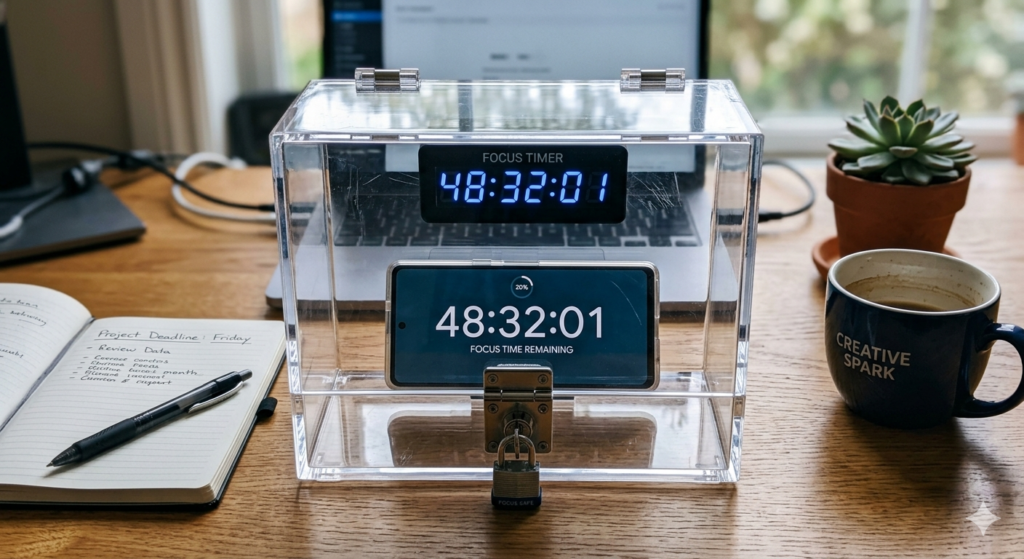
Creating physical distance is highly effective. Simply charging your phone in another room while you work removes the visual cue that prompts you to check it. For those who need stricter boundaries, utilizing timed lockboxes, commonly known as phone jails, can physically prevent access to the device for a set number of hours.
If you must keep the device nearby for absolute emergencies but want to eliminate all digital noise, slipping the device into a faraday bag (Signal blocking) completely cuts off cellular and Wi-Fi signals. When you physically cannot receive data, the temptation to check for updates is entirely removed.
Protecting Your Deep Work Sessions
Ultimately, limiting your phone usage is not an end goal in itself; it is a prerequisite for achieving higher-level productivity.
When you successfully isolate yourself from digital interruptions, you create the environment necessary for intense concentration. Understanding the Definition of Deep Work reveals that high-value output requires long, unbroken stretches of cognitive effort. A buzzing phone in your pocket makes this state of mind physiologically impossible to achieve.
Treat your smartphone boundaries as professional commitments. By establishing these rules, you signal to your brain—and your colleagues—that your time and attention are highly valuable resources.

Conclusion
Mastering how to limit phone usage is one of the most critical skills for modern professionals. By taking control of your device’s software through strict do not disturb settings and visual tricks like grayscale mode, you strip away its addictive qualities. When software isn’t enough, employing physical barriers like phone jails ensures your attention remains unbroken. Implementing these practical steps transforms your working environment, allowing you to ditch the distractions, protect your cognitive bandwidth, and finally accomplish your most important tasks.
Frequently Asked Questions (FAQ)
What is notification batching?
Notification batching is a smartphone setting that prevents apps from sending you alerts in real-time. Instead, the phone collects all non-urgent notifications and delivers them to you in a single, organized summary at specific times of the day (e.g., 12:00 PM and 5:00 PM).
Does grayscale mode actually work?
Yes. App icons and notification badges are specifically designed with bright colors (like red) to trigger dopamine releases and capture your attention. Grayscale mode removes this visual stimulus, making the screen look dull and significantly reducing the subconscious urge to endlessly scroll.
Why is it hard to ignore my phone even when it is on silent?
Even if your phone is silent, the mere physical presence of the device in your visual field occupies a small amount of your brain’s working memory. This is why keeping the phone physically in another room or out of sight is more effective than just silencing it.
What is a phone jail?
A phone jail is a physical, timed lockbox. You place your smartphone inside, set a timer for a specific duration (e.g., 2 hours), and the box will not unlock until the time expires, effectively forcing you to disconnect and focus on your work.