We interact with our devices hundreds of times a day, often without a second thought. Reaching for a smartphone the moment we wake up or opening a new browser tab when work gets difficult has become second nature for many professionals. While it is easy to recognize that excessive screen time is draining our energy, simply telling ourselves to “stop scrolling” rarely works.
If you want to stop mindless consumption, you need a structured approach to behavioral change. Knowing how to build better digital habits is an instructional process of dismantling automatic responses and engineering intentional actions in their place. This guide breaks down the psychology of habit formation, offering practical steps to replace negative tech usage with positive, productive routines.
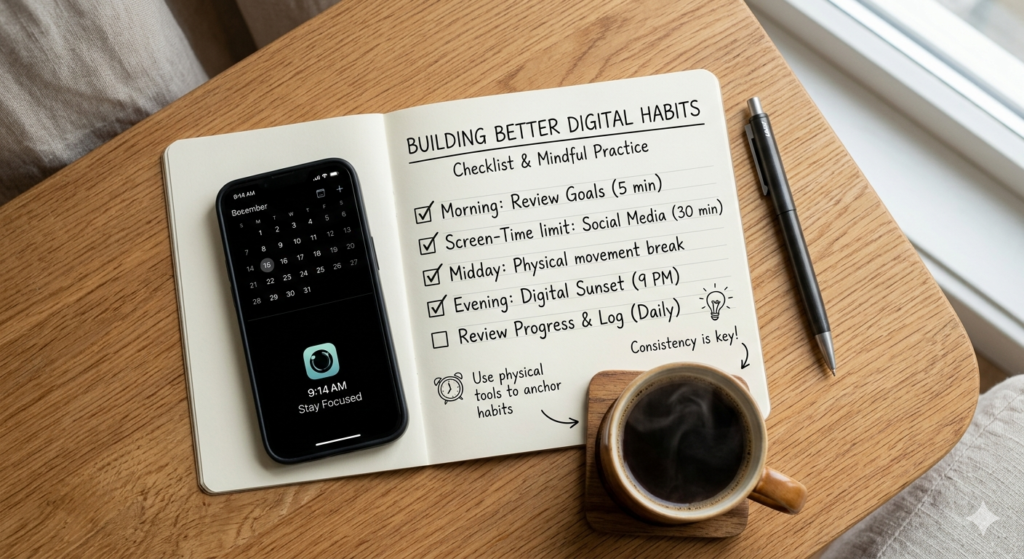
The Mechanics of Habit Formation
Before changing a behavior, it is essential to understand how the brain constructs it. Habits are not formed through sheer willpower; they are neurological shortcuts.
Learning how to build better digital habits means actively restructuring your daily interactions with technology. It involves identifying the psychological triggers that prompt mindless scrolling and replacing those automated behaviors with intentional actions, ultimately creating a healthier balance between screen time and offline living.
Every habit, whether good or bad, follows a specific neurological loop. This is widely known in psychology as the cue routine reward cycle.
- The Cue: A trigger that tells your brain to go into automatic mode (e.g., feeling bored or hearing a notification ping).
- The Routine: The behavior itself (e.g., picking up the phone and opening a social media app).
- The Reward: The physiological benefit you gain (e.g., a brief dopamine hit or a temporary distraction from a difficult task).
To change a digital habit, you must keep the old cue and deliver the old reward, but insert a new routine.
Implementing Screen Time Limits
One of the most effective ways to disrupt a negative routine is by introducing friction. When an action is difficult to perform, your brain is less likely to execute it automatically.
Setting strict screen time limits is a foundational step in habit architecture. By utilizing the built-in digital wellbeing tools on your smartphone, you can restrict access to highly distracting apps after a certain duration. When an app locks you out after 30 minutes, it breaks the unconscious scrolling loop and forces you to make an active decision about how to spend your remaining time.
For these limits to be effective, you must treat them as non-negotiable boundaries. Bypassing the limit by typing in a passcode defeats the purpose of the friction.
The Power of Habit Stacking
When attempting to introduce a completely new positive habit, starting from scratch can be challenging. A highly effective psychological strategy is habit stacking.
Habit stacking involves identifying a habit you already perform consistently every day and pairing your new desired behavior immediately after it. For example, if you already drink a cup of coffee every morning (current habit), you can stack a new digital habit onto it: “After I pour my coffee, I will leave my phone in the kitchen for 15 minutes.”
This concept aligns with the philosophy of atomic habits, which suggests that massive transformations are the result of tiny, incremental changes. By tethering a small, manageable tech boundary to an existing daily action, you significantly increase the likelihood that the new behavior will stick. Integrating this method into a broader pursuit of Digital Wellness provides a strong foundation for long-term focus.
Tracking Your Progress Visually
The brain responds exceptionally well to visual evidence of progress. When establishing new routines, the reward is often delayed, which can cause motivation to drop.
Externalizing your progress helps bridge the gap between effort and reward. Using a dedicated habit tracker calendar allows you to physically cross off each day you successfully adhere to your new tech boundaries. Over time, building a continuous visual “streak” becomes a reward in itself, satisfying the brain’s desire for accomplishment.
Keep your tracking system simple. Focus on changing only one or two digital habits at a time to avoid cognitive overload.
Conclusion
Understanding how to build better digital habits is an ongoing process of behavioral engineering. By recognizing the cue routine reward loop that drives our tech usage, we can begin to insert healthier actions into our daily lives. Implementing firm screen time limits introduces the friction necessary to break mindless scrolling, while utilizing strategies like habit stacking makes adopting new behaviors seamless. Through small, atomic changes and visual tracking, you can transform your relationship with your devices and cultivate a more intentional, focused lifestyle.
Frequently Asked Questions (FAQ)
What is the cue routine reward loop?
It is a neurological framework that explains how habits are formed and sustained. A “cue” triggers the brain to initiate a “routine” (the behavior), which then results in a “reward” (a positive feeling or relief), reinforcing the cycle for future repetition.
How does habit stacking work?
Habit stacking is a strategy where you pair a new, desired habit with an existing, well-established habit. By using the old habit as the “cue” for the new one, you bypass the need to rely purely on motivation or memory to build the new routine.
What are atomic habits?
Coined by author James Clear, atomic habits refer to tiny, incremental adjustments to your daily routines. The philosophy states that making 1% improvements consistently over time leads to massive, compound growth and long-lasting behavioral change.
Why do screen time limits fail for some people?
Screen time limits often fail because users do not respect the friction they create. If a user easily bypasses the limit by entering a password or ignoring the notification, the physical boundary is removed, and the automated scrolling routine resumes uninterrupted.